Helping our Families and Community Stay Safe Online
We take online safety seriously. While we work hard to keep students safe in school, we know that many parents and carers worry about how to protect their children at home. This page is designed to give you clear, practical advice, helpful guides and trusted resources to support you in keeping your child safe online.
Why Online Safety Matters?
Children and young people spend more time online than ever before, whether it’s for homework, gaming, social media or streaming. While the internet offers fantastic opportunities, it also comes with risks such as:
Exposure to inappropriate content
Online bullying or harassment
Contact with strangers or unsafe communities
Sharing personal information without realising the consequences
By working together, we can help children enjoy the benefits of the online world while staying safe.
Tips for Parents & Carers
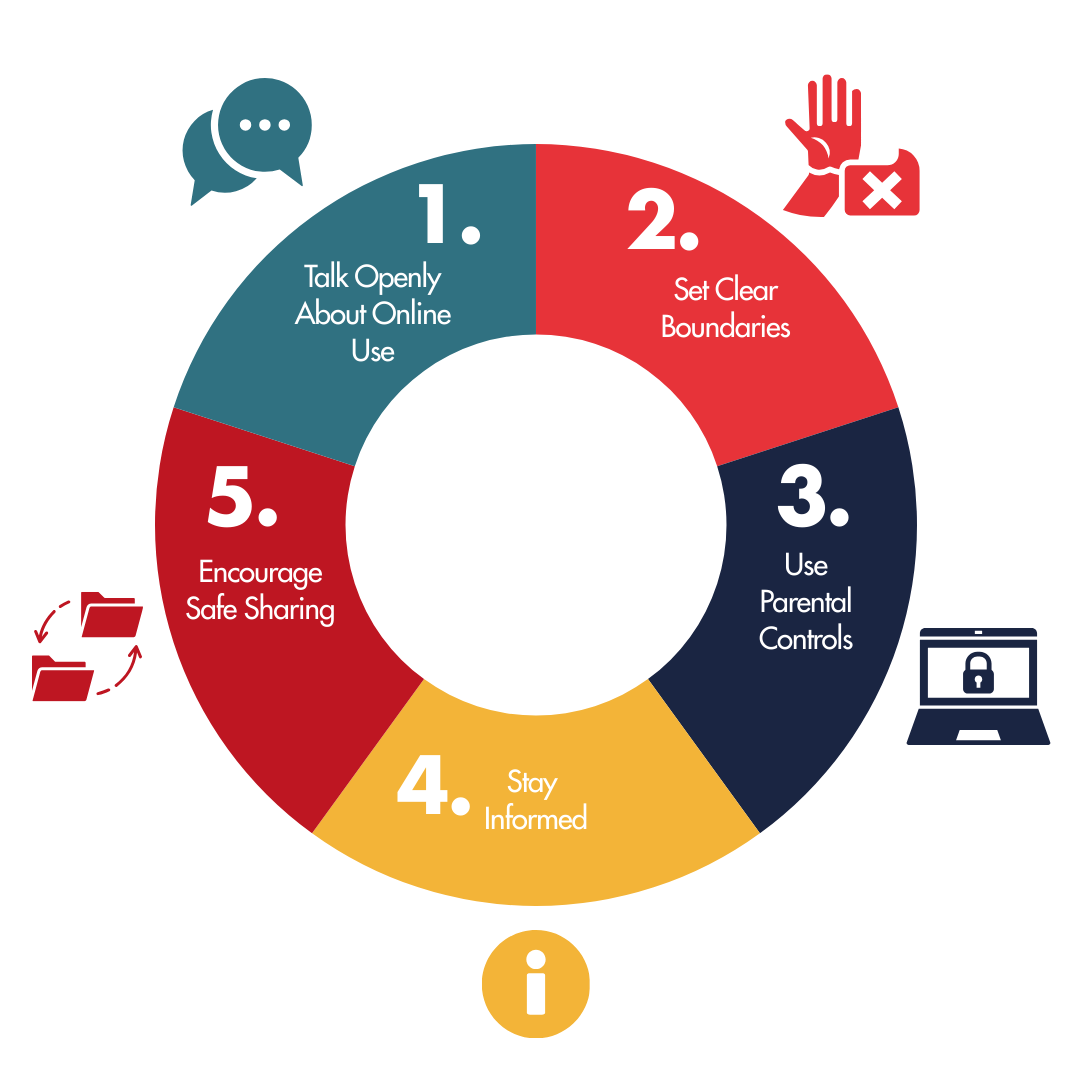
1. Talk Openly About Online Use
Encourage your child to share what they do online. Ask about the apps, games and websites they use. Show interest without judgment, this builds trust and makes it more likely they’ll come to you if something goes wrong.
2. Set Clear Boundaries
Agree on screen time limits.
Keep devices out of bedrooms at night.
Encourage regular breaks from screens.
3. Use Parental Controls
Most devices, apps and broadband providers offer parental control settings. These can help you:
Block inappropriate content
Limit in‑app purchases
Monitor usage times
4. Stay Informed
Technology changes quickly. Make it a habit to learn about new apps or games your child is using. A quick search online can help you understand risks and benefits.
5. Encourage Safe Sharing
Remind children never to share personal details such as their full name, address, school or phone number online.
Helpful Guides & Resources
NSPCC Online Safety – Practical tips for parents and carers. https://www.nspcc.org.uk/keepi...
Childnet – Resources to help families navigate the online world. https://www.childnet.com/paren...
UK Safer Internet Centre – Guides, tips, and reporting tools. https://saferinternet.org.uk/
NSPCC Parental Controls Guide – Clear guidance on setting up parental controls across devices, apps, and platforms. https://www.nspcc.org.uk/keepi...
Safer Internet Centre: Parents & Carers Hub – Support, advice, and resources to help families manage online safety confidently. https://saferinternet.org.uk/g...
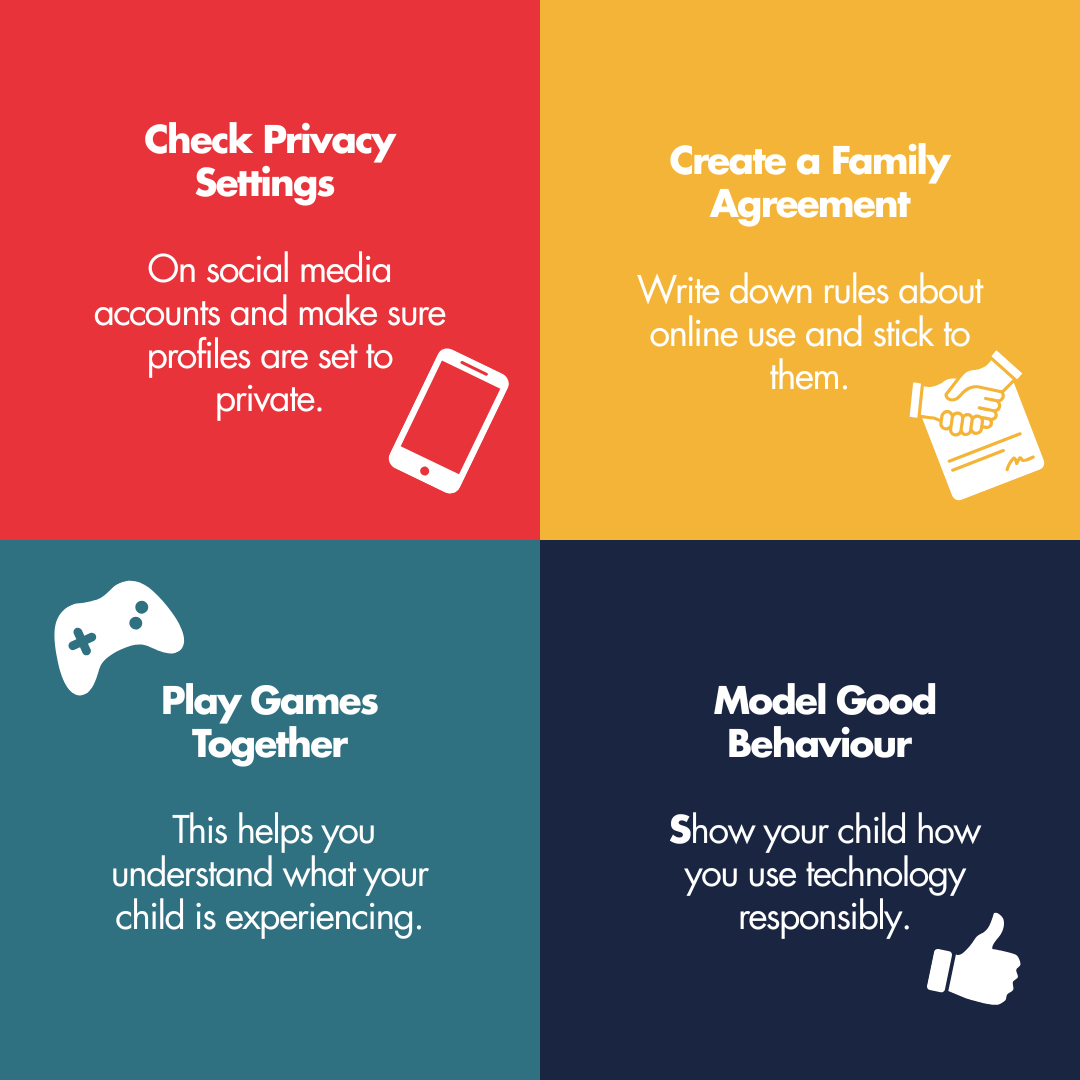
Practical Tricks You Can Try Today
Small, everyday actions can make a big difference in helping children stay safe and confident online. These simple steps are easy to put in place and can quickly strengthen your family’s digital habits:
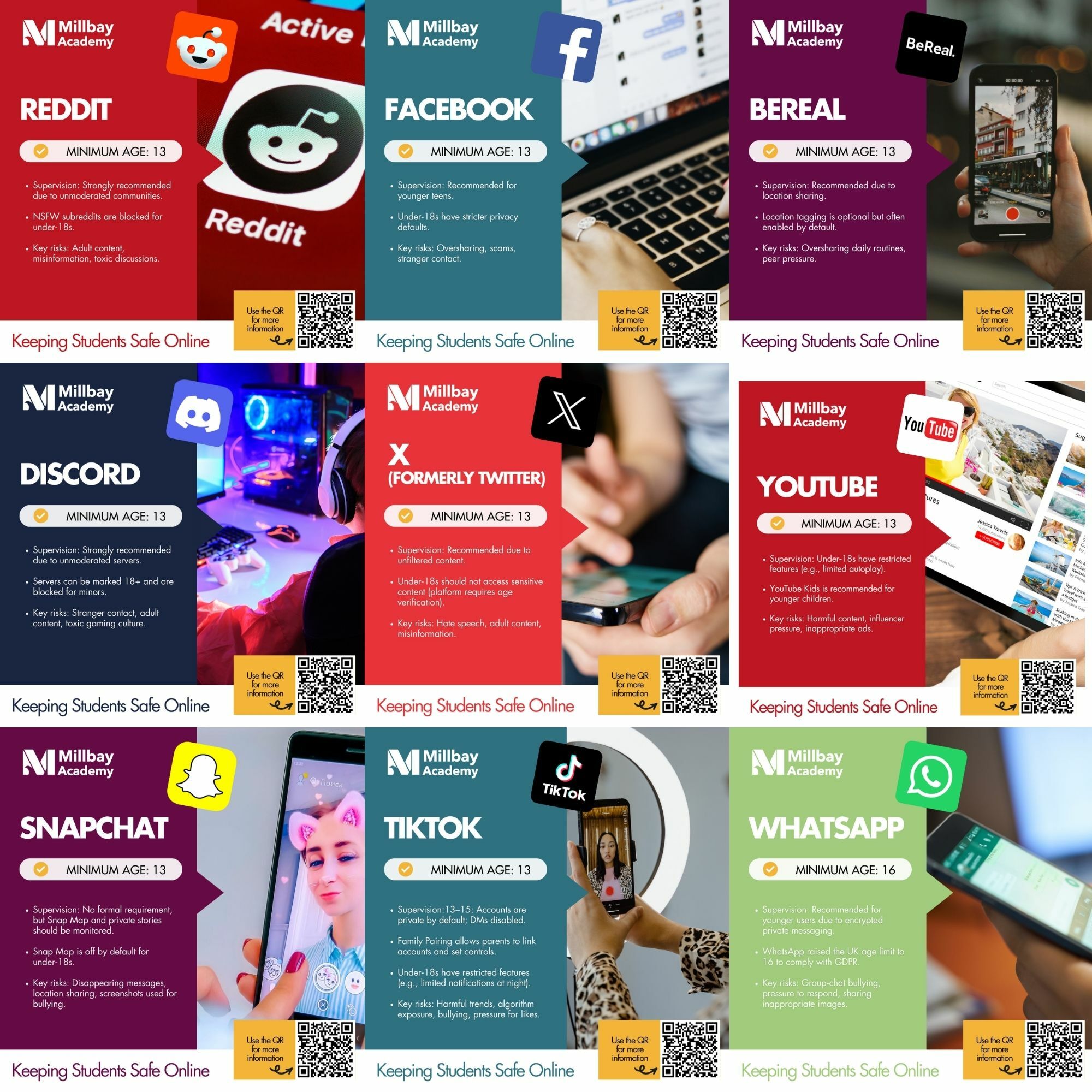
Emerging Online Risks to Be Aware Of
As technology evolves, so do the risks young people may encounter online. Below are some of the newer or increasingly common threats that parents and carers of secondary‑aged children should be aware of:
AI‑Generated Content & Deepfakes Fake images, videos and voice recordings can look very real. These can be used to mislead, trick young people into sharing information, or even bully them. Encourage children to question what they see and talk to an adult if something feels wrong.
Oversharing Personal Information Small details like school names, locations or routines can reveal more than teens realise. Oversharing can lead to unwanted contact, identity misuse or scams. Remind them to think before they post.
Online Bullying & Harassment Bullying can happen through social media, gaming chats and group messages. It may involve exclusion, rumours or sharing embarrassing content. Encourage children to save evidence, block the person and speak to a trusted adult.
Scams, Phishing & Fake Accounts Young people may be targeted with fake giveaways, impersonation accounts or messages asking them to “verify” details. Teach them to avoid clicking unknown links, never share passwords and check if accounts are genuine.
Influence, Pressure & Harmful Trends Algorithms can expose teens to harmful challenges, unrealistic body standards or misleading advice. Regular conversations help build critical thinking and resilience.
Gaming Risks Online games can involve chat with strangers, pressure to spend money, toxic behaviour or inappropriate language. Setting boundaries and using safety tools helps keep gaming positive.
Location Sharing & Tracking Many apps share location automatically, revealing where a child lives or travels. Encourage them to switch off location sharing unless absolutely necessary.
Need Help?
If you’re worried about your child’s online activity, please don’t hesitate to contact Millbay Academy for advice and support. We’re here to help. Contact our team by clicking the button below.